Stage 4: Digital Twin
In the Digital Twin stage, the device structure automatically generated by the Scan stage is refined and completed. Names, metadata, and groups are maintained, missing devices added, or extra devices removed. When the stage is completed, the final digital twin is synced to the Amperecloud platform.
Overview
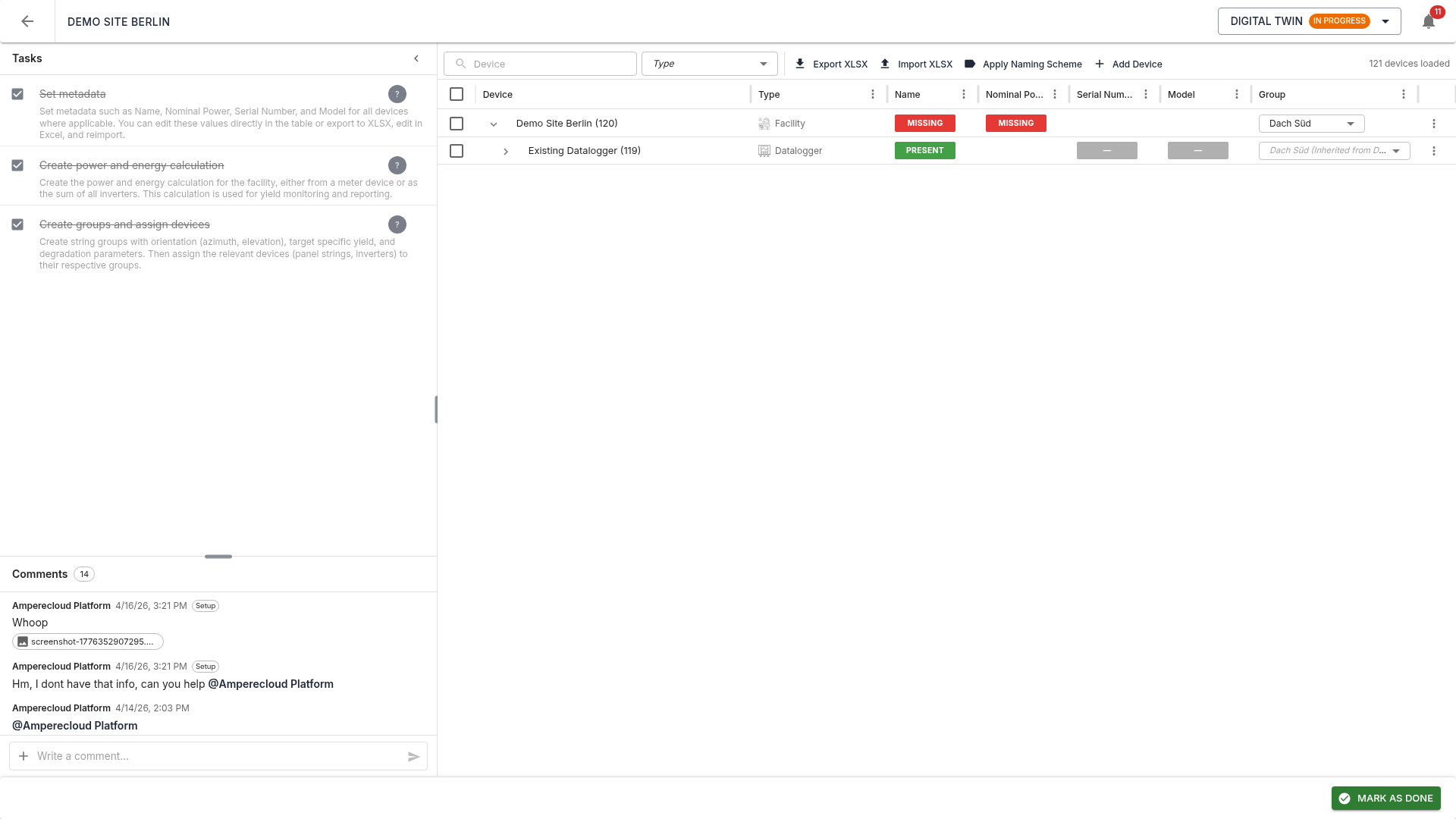
The view shows the full device tree in a DataGrid layout:
- Tree structure: dataloggers as root nodes, rule-generated devices below
- Columns: name, type, readings (red/green), metadata (NAME, Nominal Power, Serial Number, Model) as status pills
- Toolbar: search, type filter, XLSX export/import, and bulk actions
Status pills
Each metadata column shows:
- Green (Present): value from mapping rules or manual entry
- Red (Missing): for uploadable fields — must be set before completion
- Grey (Optional): no action required
The readings column shows the count of required + calculable readings per device type.
Managing devices
Create a new device
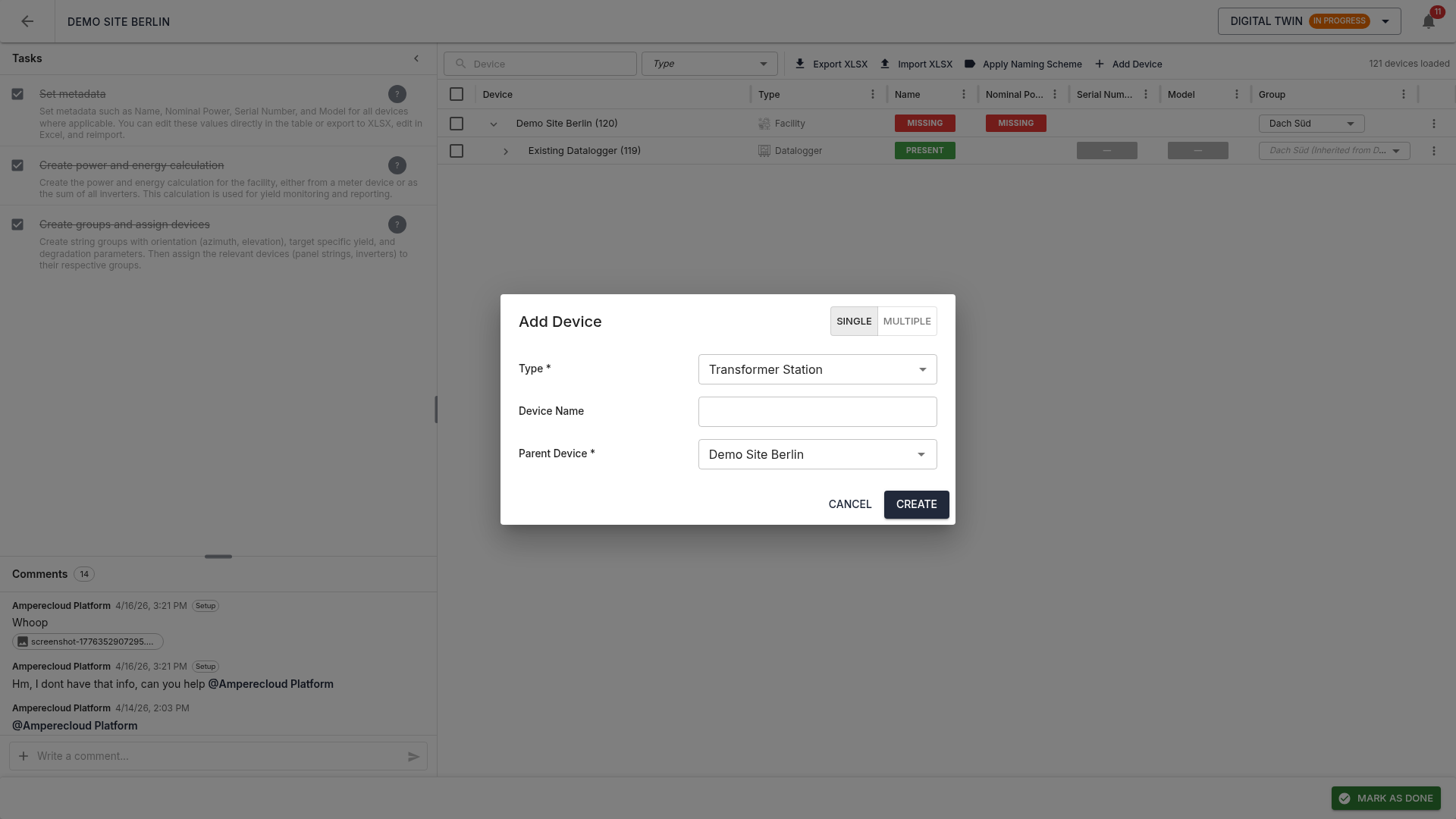
The “New device” button in the toolbar lets you create transformer stations and sections directly in the DT stage. Two modes:
- Single: one device with all details
- Bulk: many devices via a naming scheme
Move a device
Drag & drop or use “Move” in the three-dot menu. The system validates:
- That the target is an allowed parent type
- That the target is not a child of the moved device (no cycles)
Invalid drop targets are highlighted red while dragging.
Rename / delete
Via the three-dot menu (⋮) on each row:
- Rename: single device
- Delete: device is soft-deleted
(marked
deletedAt) and removed from the platform on stage completion
Bulk actions
Select multiple devices via checkboxes, then in the toolbar:
- Assign group: assign all selected devices to a group
- Move: bulk move with the same hierarchy validation as above
- Rename: using
{n}as a running-number placeholder - Delete: requires typing
DELETEto confirm
Apply naming scheme
The “Apply naming scheme” button opens a dialog to define a hierarchical naming pattern per device type:
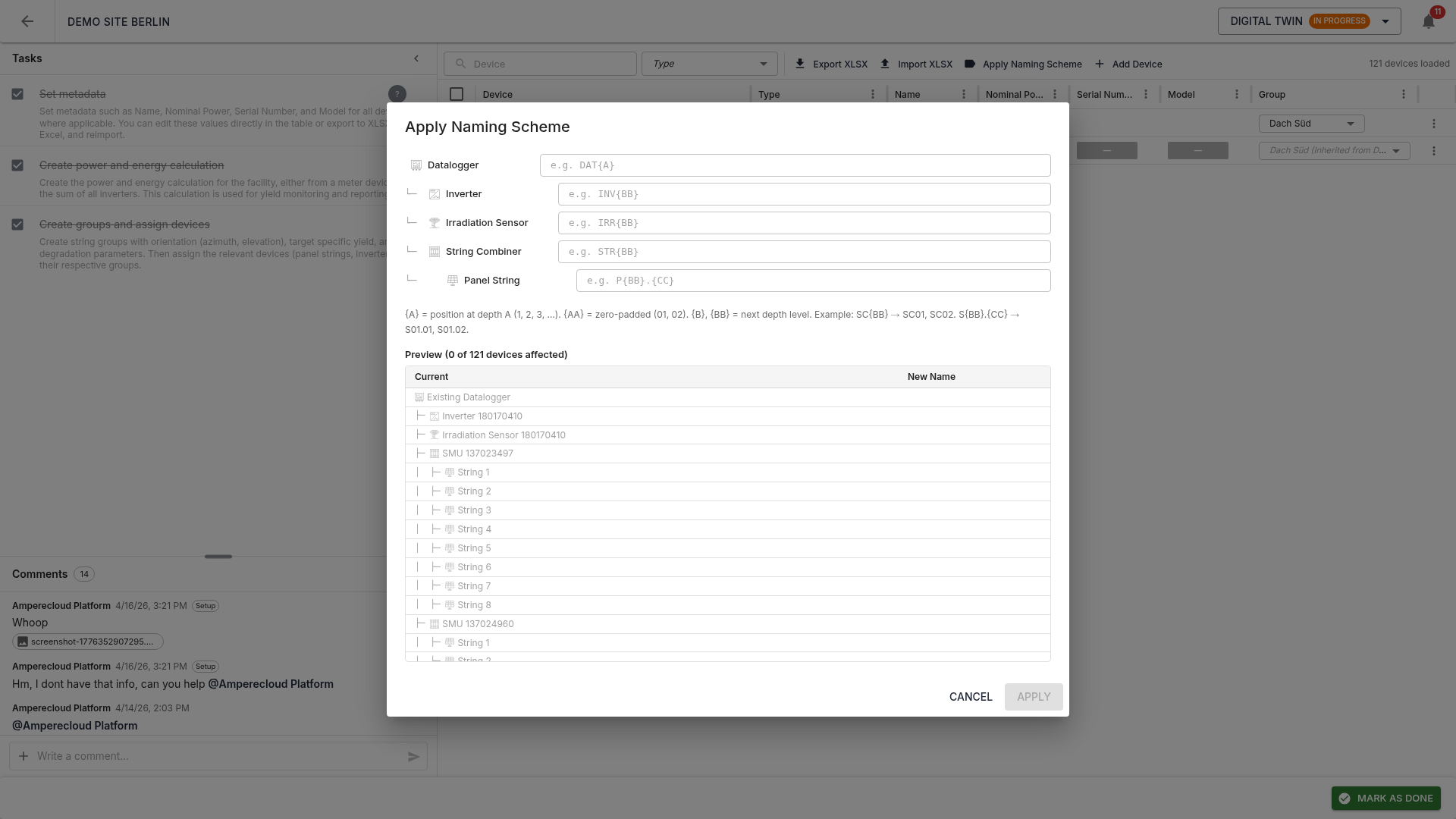
Use the placeholders {A}, {AA},
{B}, {BB} for positional numbering (with
optional zero-padding). A live preview in the tree
shows current vs. new names side by side.
Example: INV-{AA} produces INV-01,
INV-02, …
Edit metadata
All metadata fields (NAME, Nominal Power, Serial Number, Model) are editable by double-clicking the cell. Changes save immediately. For uploadable fields the pill switches from red to green once a value is set.
Groups
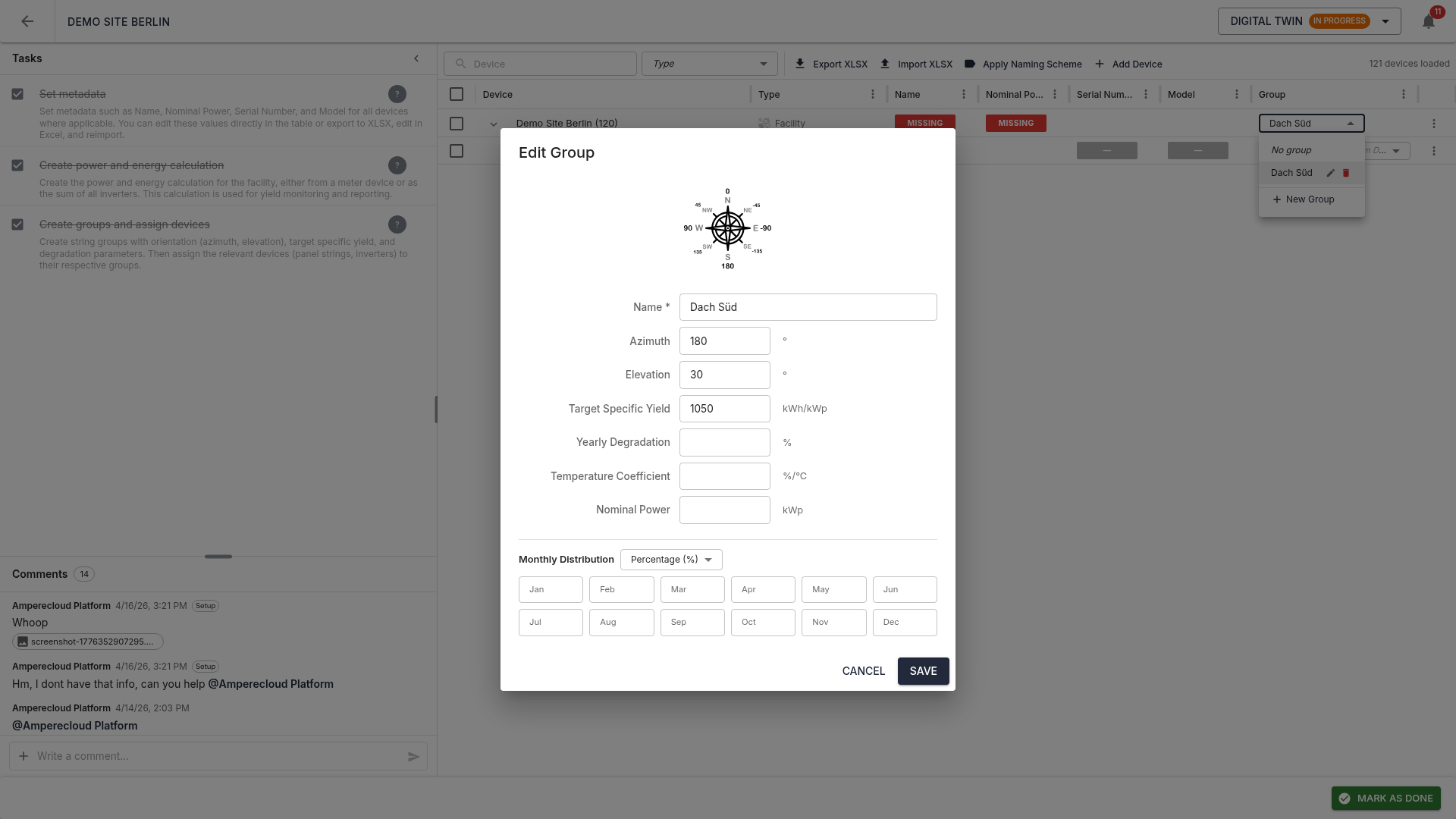
Groups bundle devices of the same type with shared technical parameters (e.g. orientation, tilt):
- Name
- Azimuth and elevation
- Specific yield
- Degradation
- Temperature coefficient
- Monthly energy distribution with unit selector (% / kWh / MWh) and sum validation
Groups are managed via a dedicated panel. When a device is assigned to a group, all child devices inherit this assignment — the row shows “GroupName (inherited from ParentName)”.
Readings and metadata as pills
Each row shows reading and metadata pills directly in the table:
- Red: required and not yet set — blocks completion
- Green: present / set
- Grey: optional — no action required
XLSX export / import
The full device structure including metadata and groups can be exported to Excel, edited offline, and re-imported. The export file has styled headers, dropdown validations, and frozen panes for convenient editing in Excel.
On import, only actual changes are applied.
Tasks
The Digital Twin stage has three tasks:
- Set metadata: fill in any missing uploadable metadata (Name, Nominal Power, Serial Number, Model)
- Create calculations: create the calculation formulas for all orange (calculable) readings
- Create groups: assign devices to groups and maintain the monthly energy distribution
Complete the stage
Pre-completion validator
Before completion, the system checks:
- Group assignment: all device types with
hasGroupsmust be assigned to a group (directly or inherited) - Uploadable metadata: all red fields must be set
Platform synchronization
Clicking “Mark as done” pushes all changes to the Amperecloud platform:
- Create new devices (transformer stations, sections, etc.)
- Delete removed devices
- Apply moves (parent changes)
- Update metadata
- Set group assignments
A progress bar with live SSE updates shows the current sync state. On error, the stage reopens and the error is shown in the dialog.
Note: the sync is idempotent — re-completing the stage does not create duplicates but updates existing devices.
Next stage
Alerts & KPIs unlocks as the final stage. → 06-Alerts-KPIs