Stage 5: Alerts & KPIs
The final migration stage configures reading sources, KPIs, alerts, and satellite data for the site. The view is split into four consecutive sections worked through top-down.
Overview
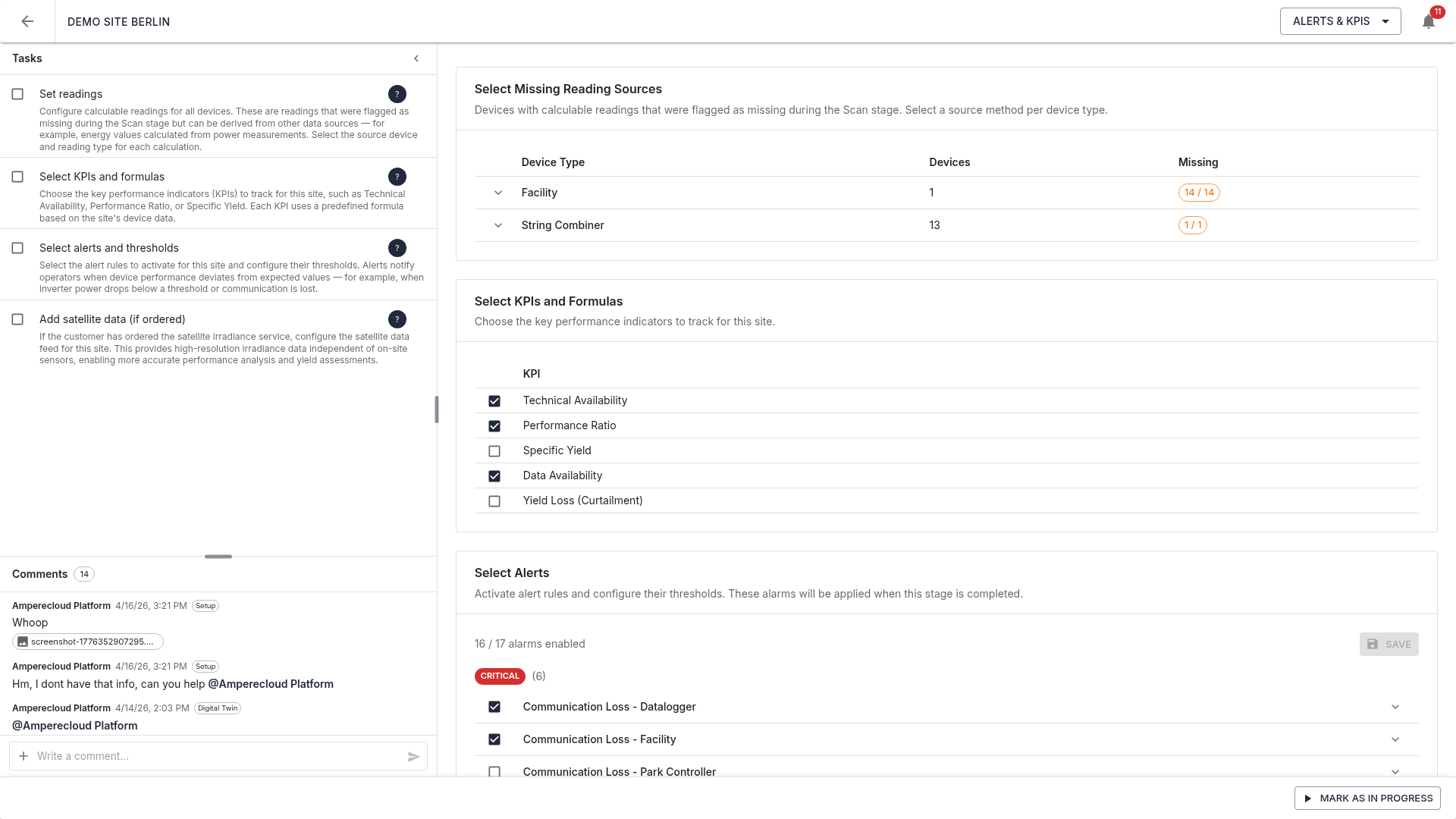
The right-hand side shows four sections:
- Select missing reading sources
- Select KPIs and formulas
- Select and configure alerts
- Enable satellite data
All changes are saved automatically.
1. Missing reading sources
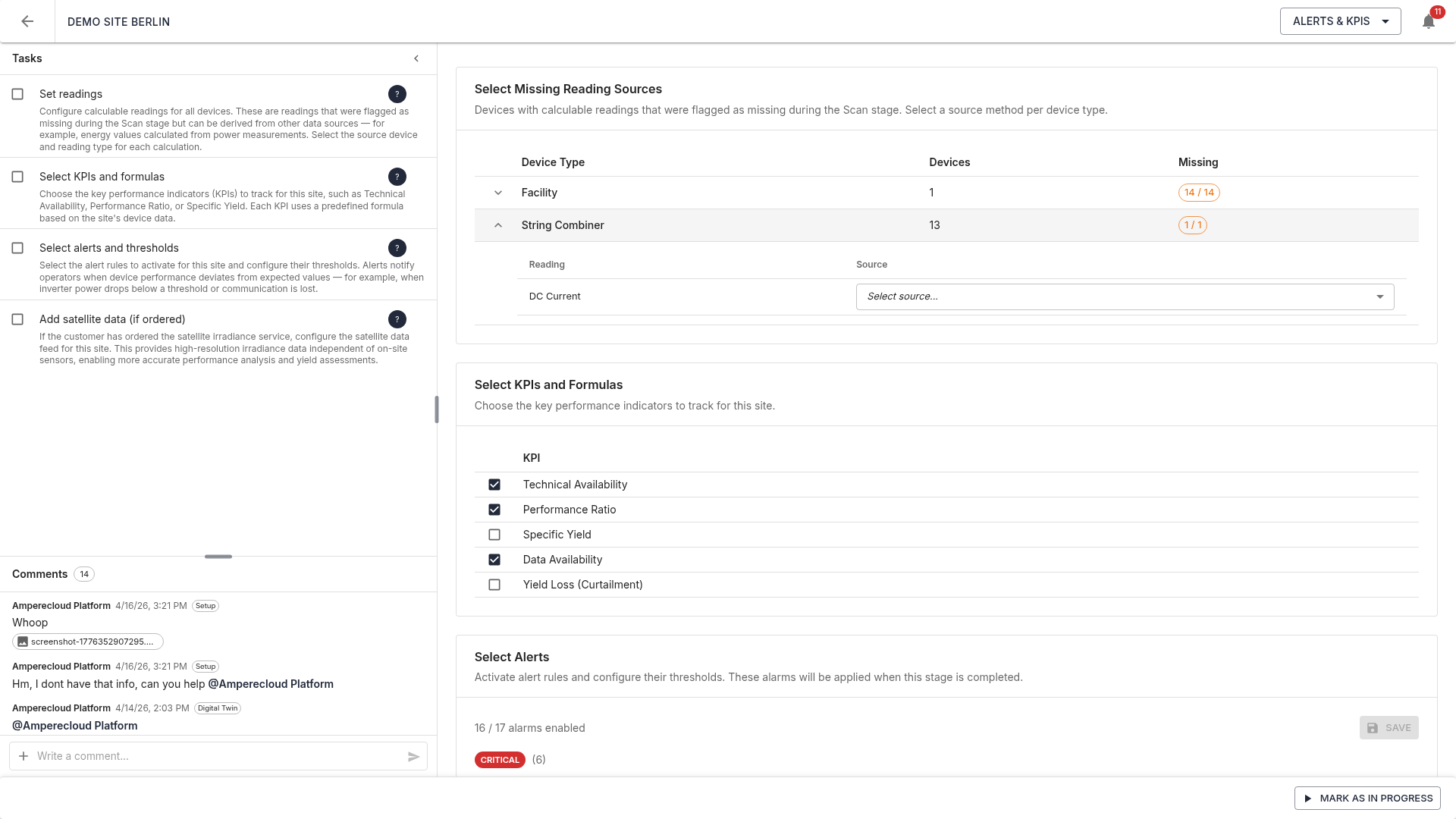
This section lists every device type that still has
calculable readings missing. A pill X / Y
per type shows how many out of how many calculable readings need a
source.
Detail view
The + button next to a device type expands a sub-table listing each missing reading in human-readable form:
- Reading: friendly name (e.g. “Specific Yield”, “Performance Ratio”)
- Source: dropdown with the available source options
Source options
Per reading row:
- Formula: value is computed from other readings via a formula
- Aggregation: value is aggregated (sum / average) from child devices
- Manual: value is entered manually on the platform
2. KPIs and formulas
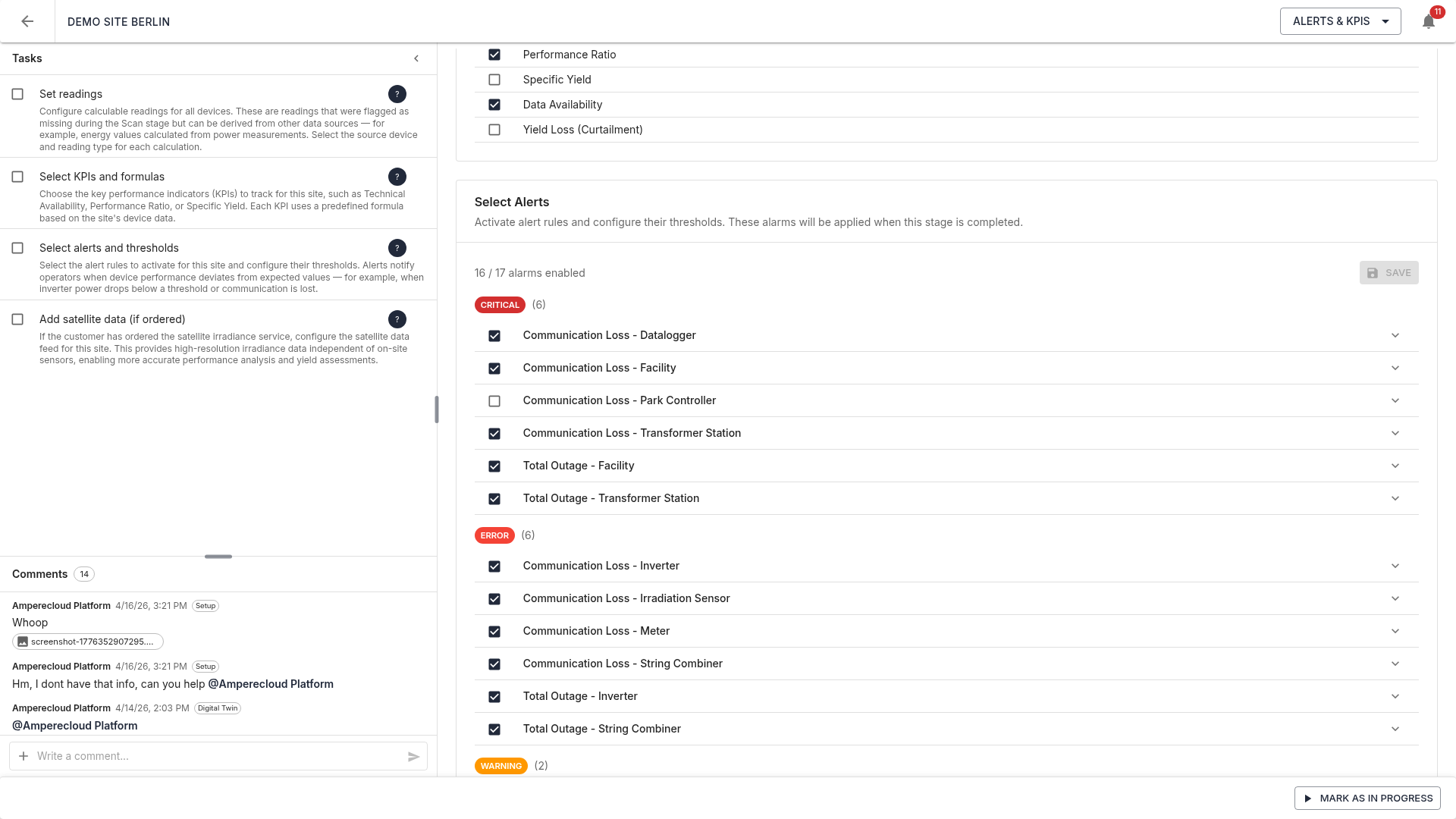
Pick the Key Performance Indicators for the site that will appear in Amperecloud reports and dashboards. Typical solar KPIs:
- Technical Availability
- Performance Ratio
- Specific Yield
- Utilization Ratio
- Self-consumption
Selection is saved per site.
3. Alerts
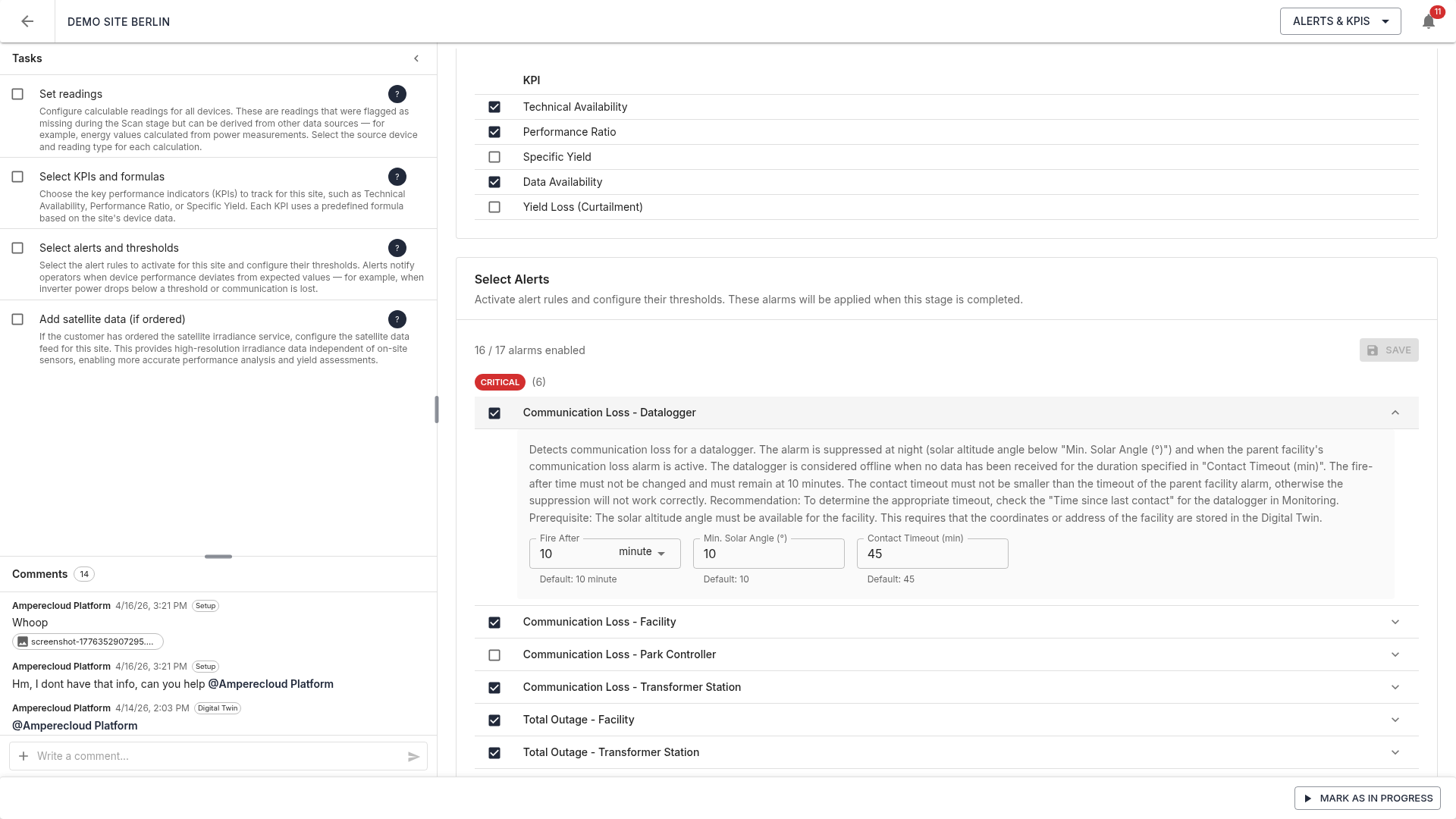
All official alert definitions of the Amperecloud platform are loaded and grouped by severity. Within a group, alerts are sorted alphabetically.
Alerts flagged with defaultEnabled: true in the
template are pre-selected; the selection is per-site
configurable.
Enable / disable
A checkbox per alert toggles it for the site.
Configure
The expand arrow opens the configuration area:
- Description of the alert
- Fires after: text field for the count, dropdown for the unit (seconds, minutes, hours, days). The template default is shown as helper text.
- Placeholders: thresholds that parametrize the alert logic (e.g. contact timeout, solar angle)
All inputs share the same visual design — defaults appear as helper text below each field.
Stored configuration
Configuration is saved per site in the alertsConfig
field and, for each alert, stores:
enabledfireAfterCount/fireAfterUnitplaceholderValues
4. Satellite data
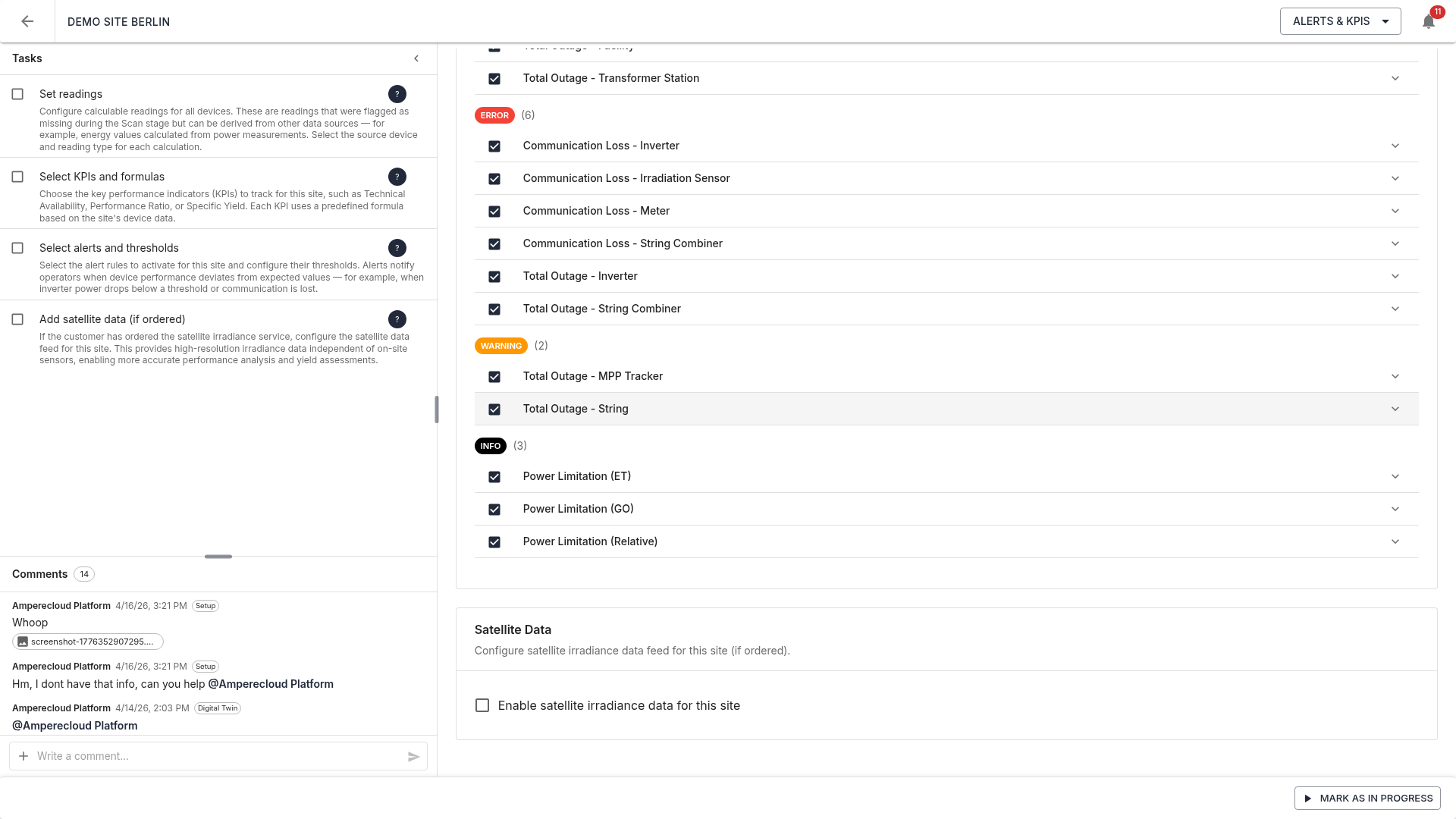
A checkbox enables satellite irradiance data for the site. Since this service incurs additional costs, a warning is shown when enabled — please confirm with the customer before enabling.
Tasks
The Alerts & KPIs stage has four tasks:
- Set reading sources: assign a source to every missing calculable reading
- Select KPIs: pick relevant KPIs for reporting
- Select alerts: confirm active alerts and adjust thresholds
- Satellite data: decide on/off and confirm with the customer if needed
Complete the stage
Once all tasks are done, click “Mark as done”. Settings are transferred to the Amperecloud platform, and the site is fully onboarded.
The migration process is complete. The site is now fully integrated into Amperecloud and ready for monitoring, alerting, and reporting.